The complete vendor risk platform
Everything you need to manage vendor risk — AI analysis, continuous monitoring, unified scoring, and compliance automation.
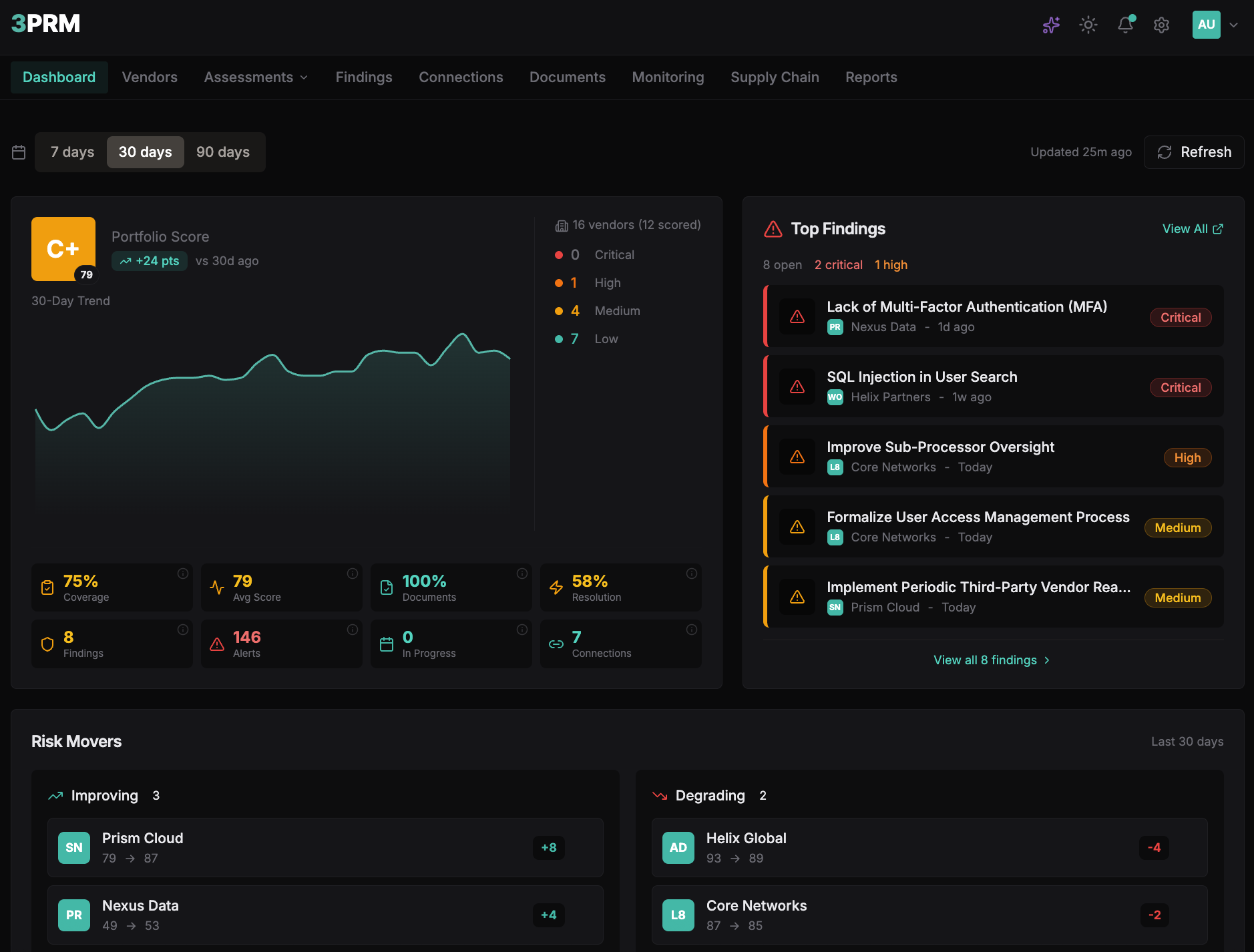
Command Center
Your entire portfolio at a glance
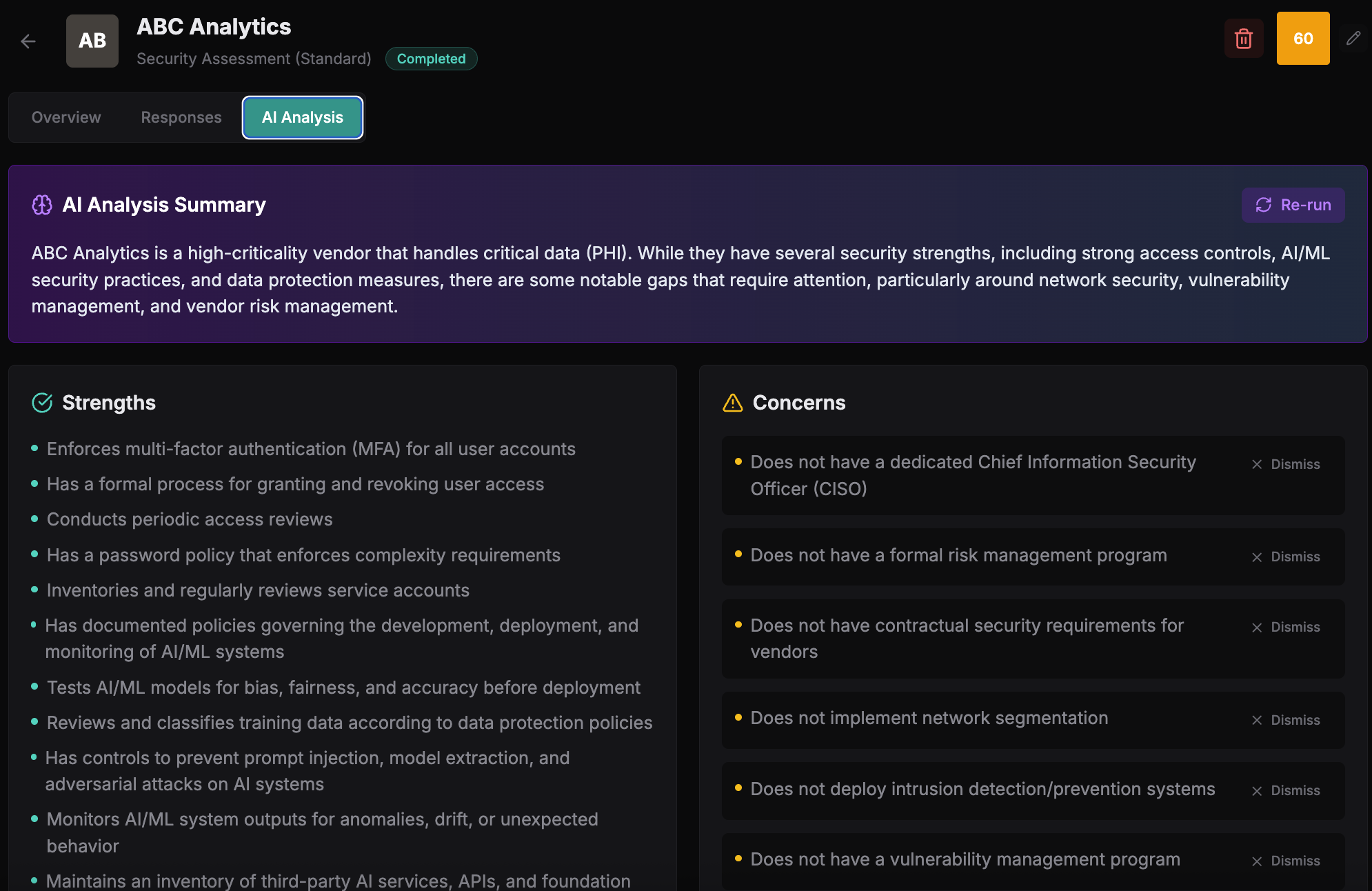
AI Analysis
Stop reading 200-question questionnaires manually.
Upload responses. Get instant analysis. AI identifies gaps, suggests findings, and summarizes what matters.
- Strengths and concerns summarized instantly
- One-click finding creation
- SOC 2 reports analyzed automatically
Unified Scoring
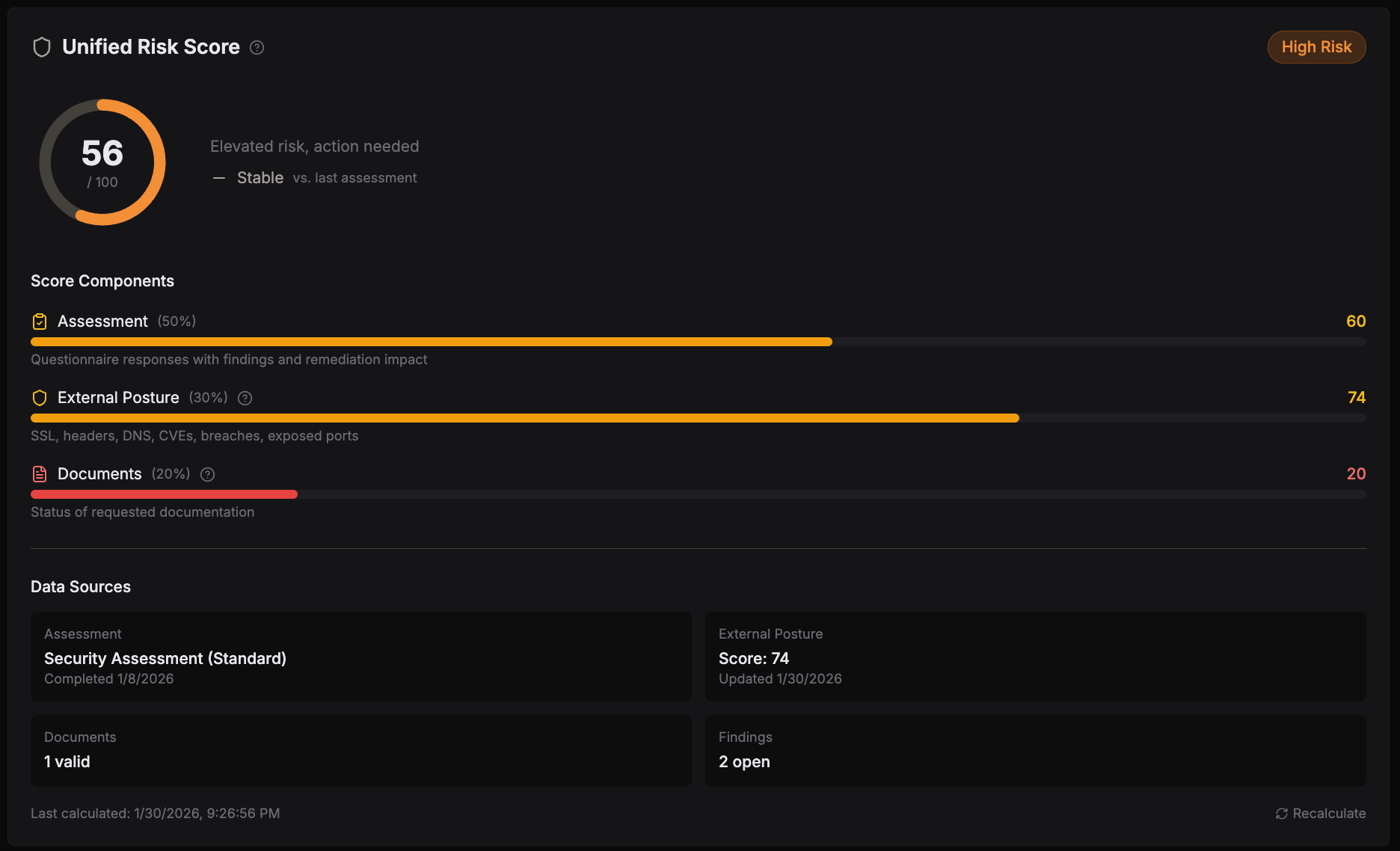
One score. Complete picture.
Assessment results, external posture, documents, findings — all weighted into a single, defensible risk score.
- Transparent score components
- Trend tracking over time
- Audit-ready documentation
Continuous Monitoring
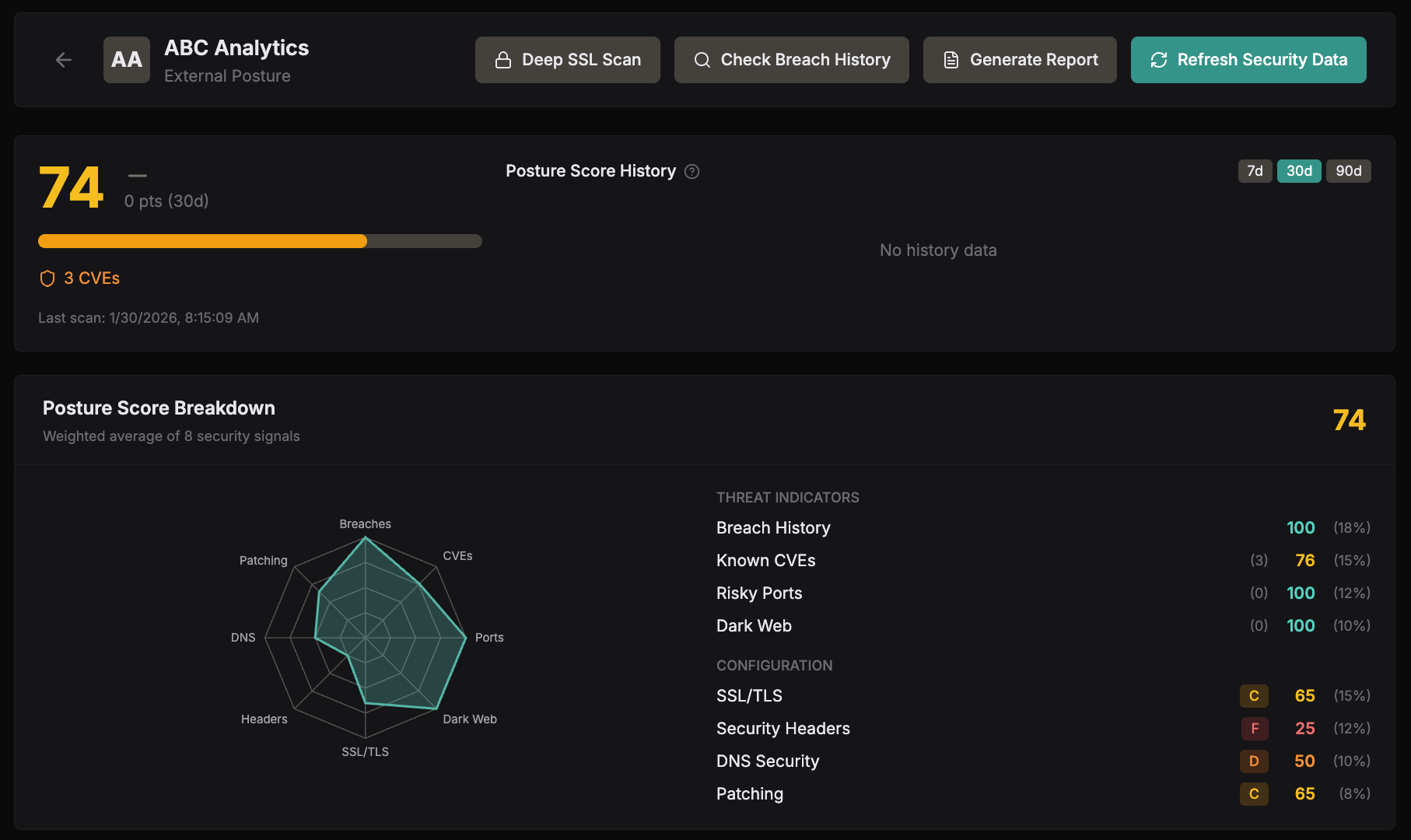
Don't wait for the annual review to find problems.
Real-time external posture tracking. SSL, headers, CVEs, breaches, dark web monitoring — all automated.
- Security posture breakdown
- Breach and CVE alerts
- Score history tracking
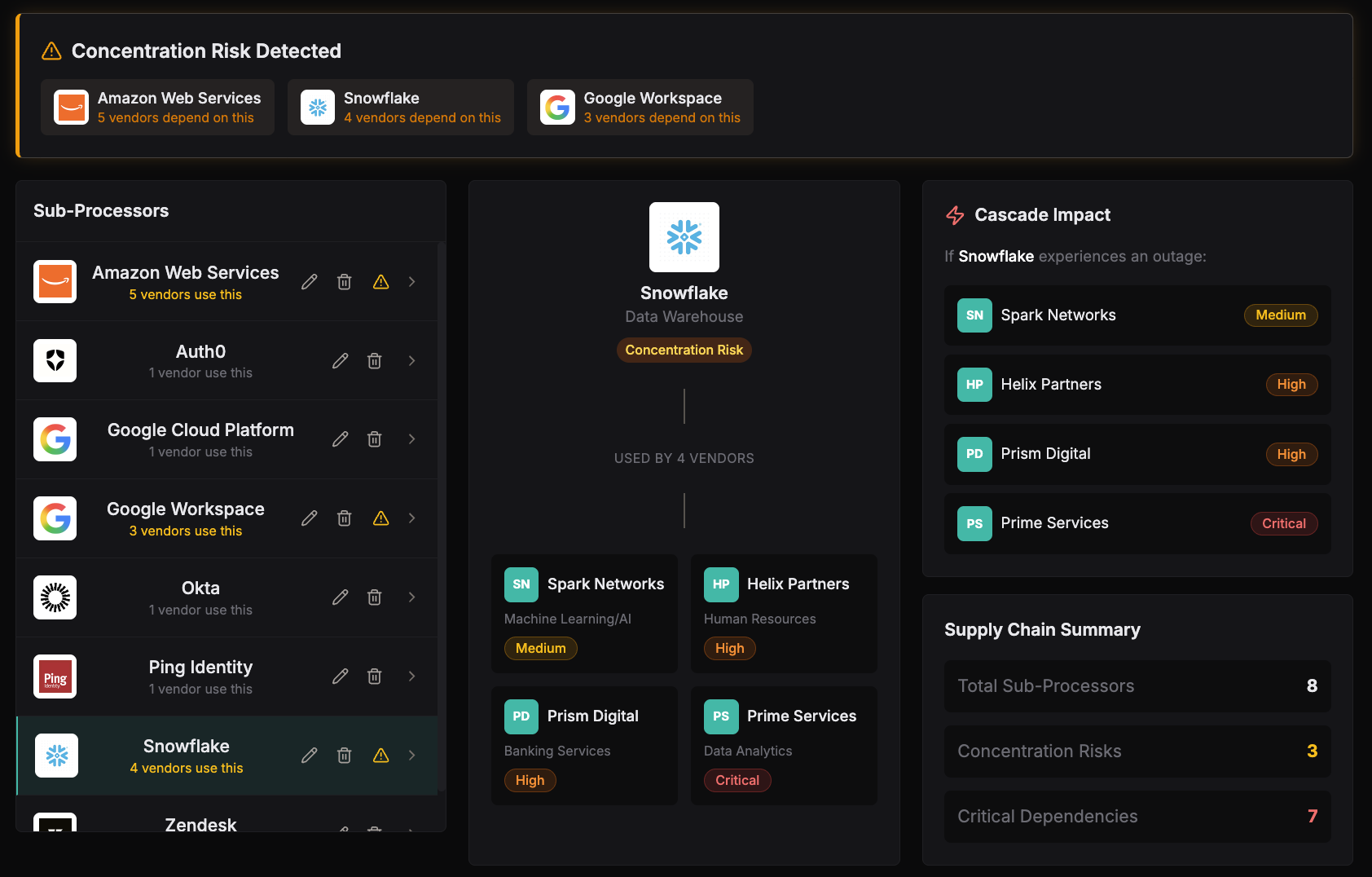
Supply Chain Risk
See the vendors behind your vendors.
Track 4th parties, detect concentration risk, understand cascade impact before it becomes your problem.
- Sub-processor mapping
- Concentration risk detection
- Cascade impact analysis
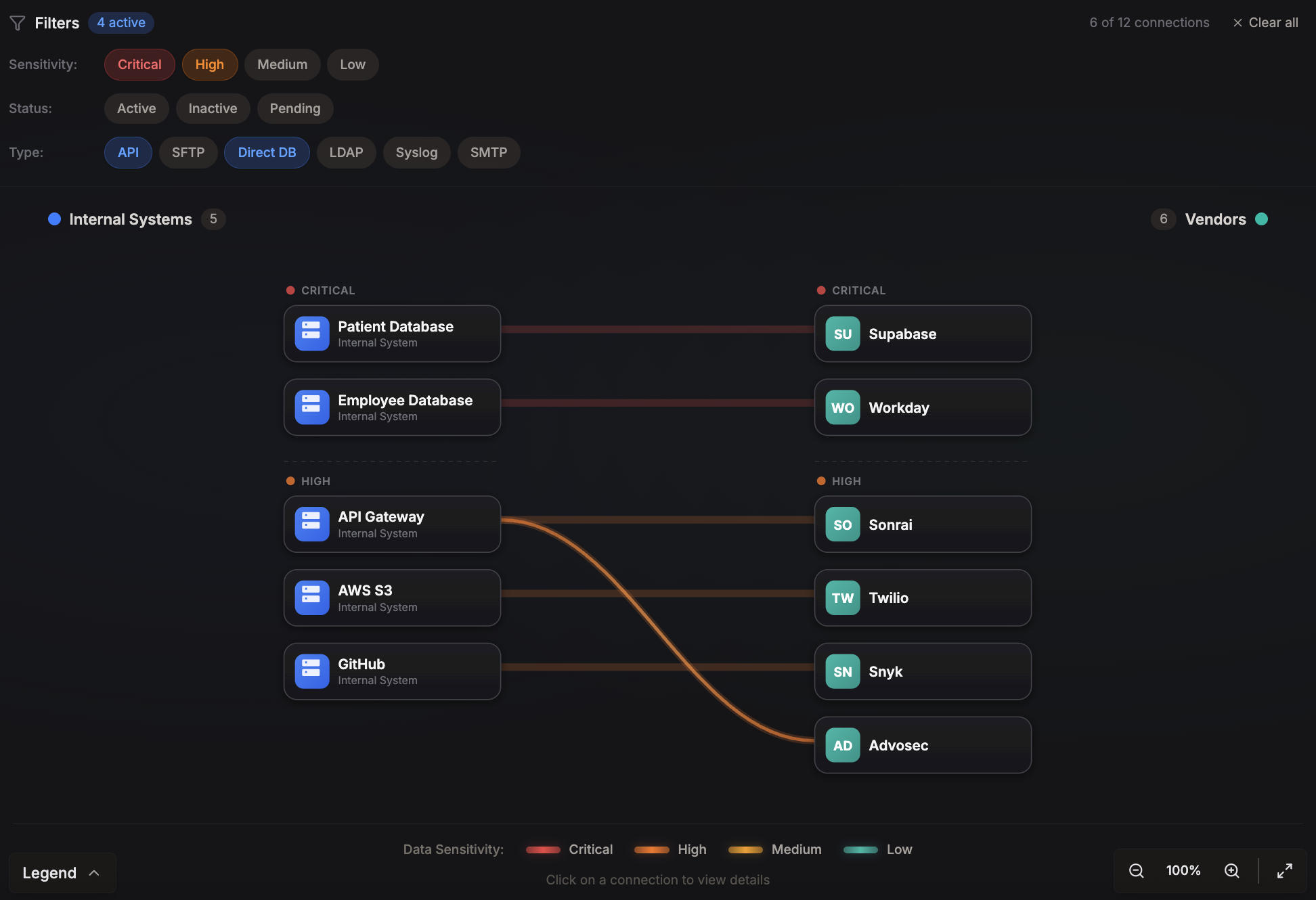
Connection Intelligence
Know exactly what data flows where.
Map every API, integration, and data exchange. Understand sensitivity. Answer auditor questions instantly.
- Visual data flow mapping
- Sensitivity classification
- Connection security details
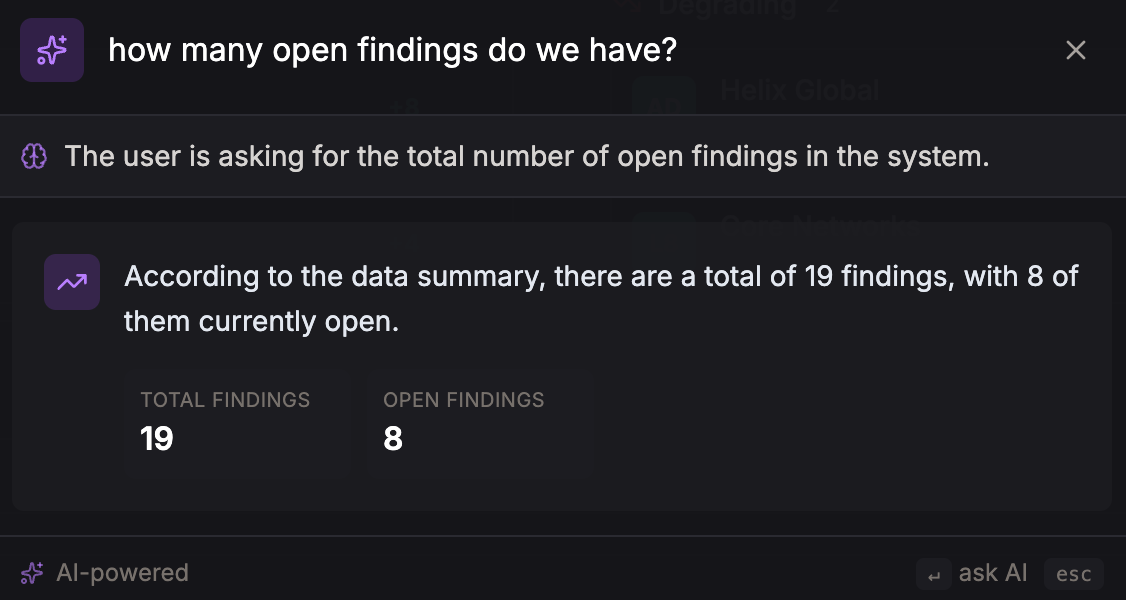
Ask Anything
Natural language search across your entire portfolio.
"How many vendors have access to PII?"
"Which vendors failed their last assessment?"
"Show me all critical findings from Q4."
Get Started
Add a vendor in 30 seconds.
Enter a domain. We handle the rest — auto-enrichment, monitoring setup, risk scoring. No spreadsheets. No manual data entry.
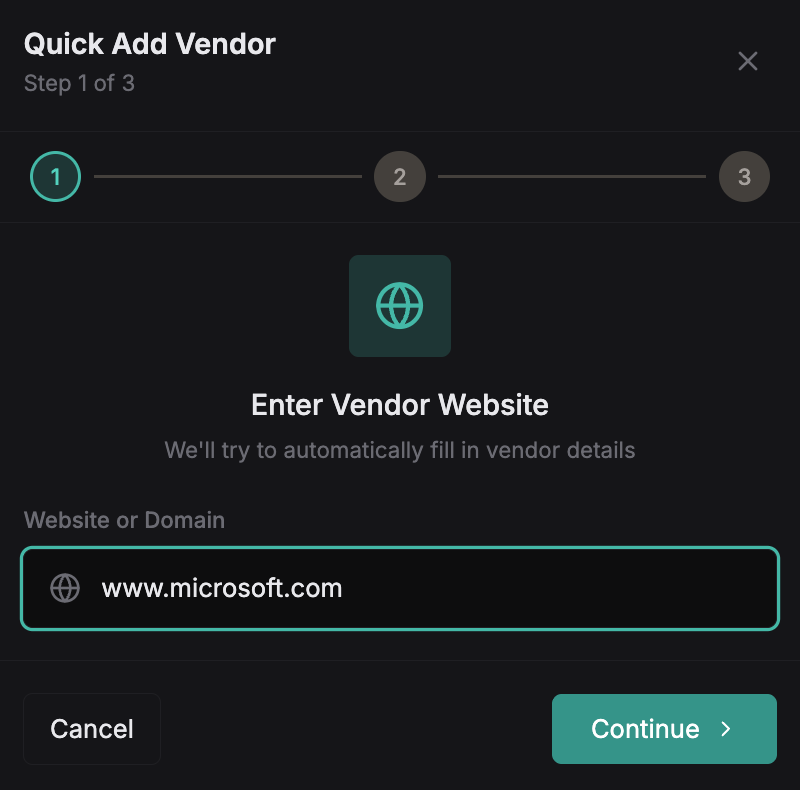
Enter the vendor's domain
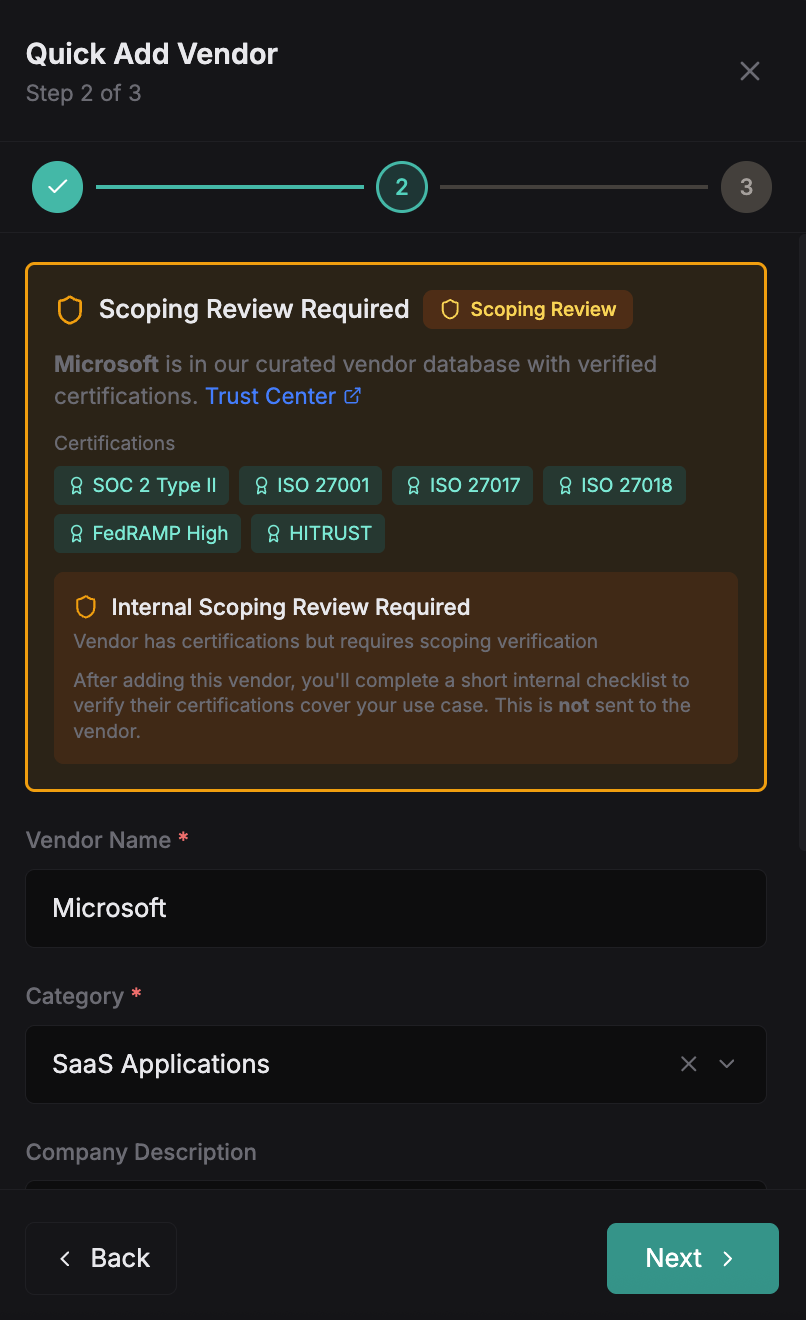
Configure details and data types
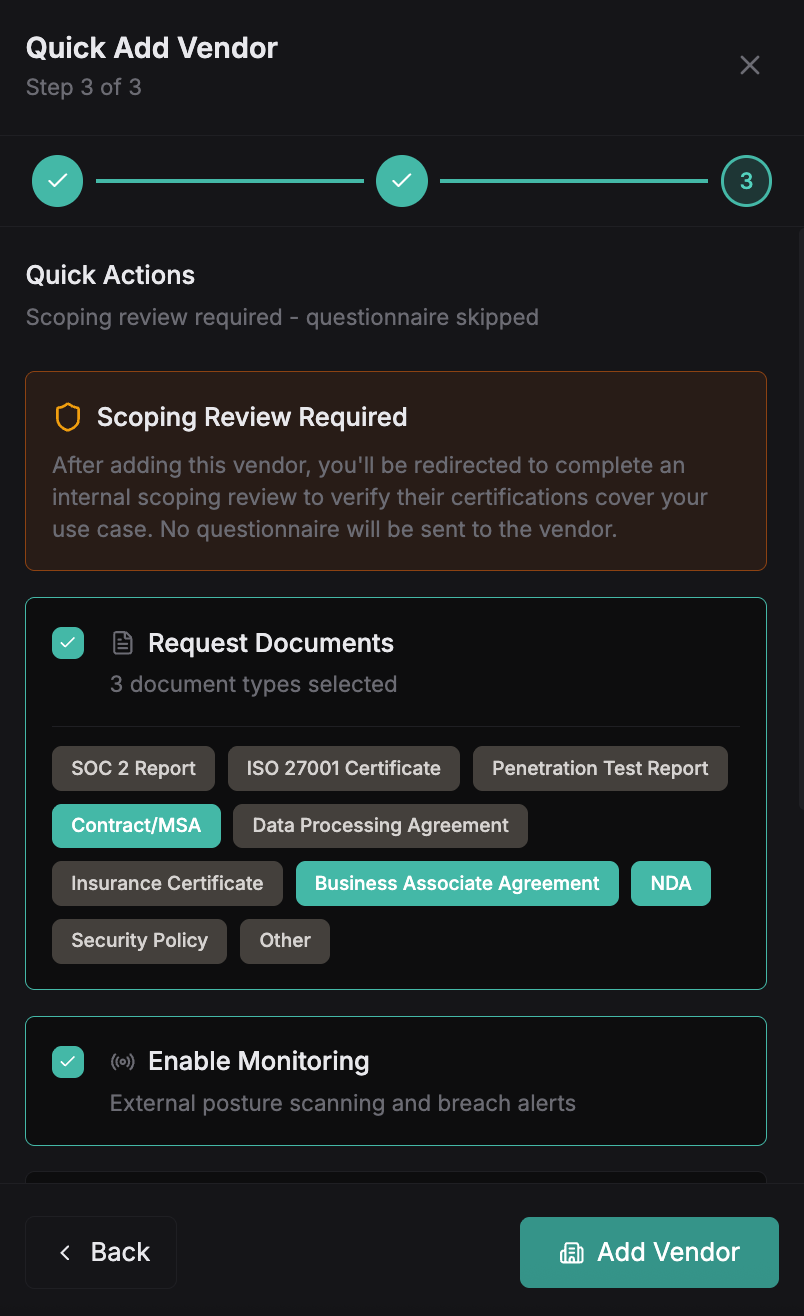
Vendor is ready with monitoring enabled